





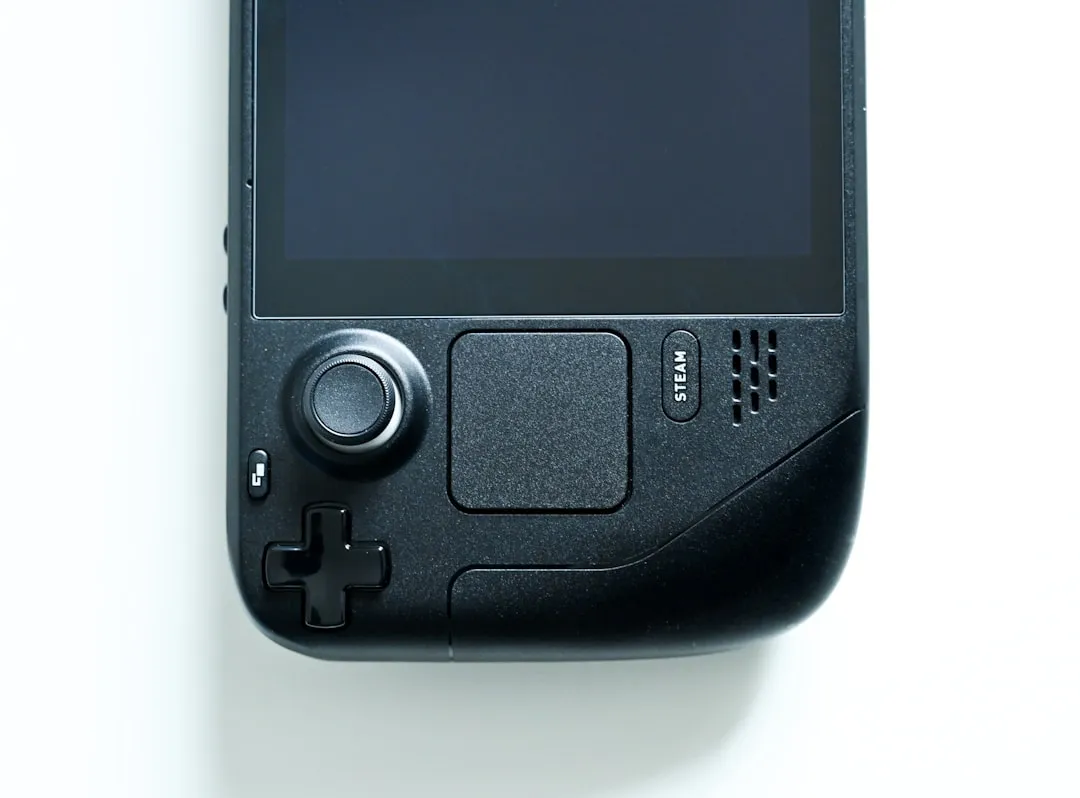
When I picked up my old Pixel 7 Pro sitting in a drawer, I didn't expect it to become my go-to portable gaming machine. But after some experimenting with controller grips and emulation apps, this thing actually delivers a surprisingly solid handheld experience. Modern smartphones pack serious processing power, and emulation performance still depends heavily on hardware, making the Pixel 7 Pro's flagship specs perfect for this kind of project. The timing couldn't be better either—emulation has become more mainstream with dedicated handhelds and PC gaming devices proving there's real demand for portable retro gaming. What started as a weekend experiment turned into a genuinely useful gaming setup that handles everything from classic arcade games to demanding PlayStation titles.
Why the Pixel 7 Pro makes sense for portable emulation
The hardware foundation matters more than you might think when it comes to emulation performance. Unlike native mobile games, emulation requires translating console architecture in real-time, making CPU power more critical than raw GPU performance. The Pixel 7 Pro's Tensor G2 processor handles this workload surprisingly well, especially for systems up to PlayStation 1 and GameCube level complexity.
Here's what makes the Tensor G2 particularly effective for emulation tasks: its custom architecture includes dedicated machine learning cores that can assist with certain emulation processes, while the ARM Cortex-X1 performance cores provide consistent single-threaded performance—crucial since a powerful CPU matters more than raw GPU power for most emulation workloads. Unlike other flagship processors that prioritize burst performance, the Tensor G2 maintains steady clock speeds during extended gaming sessions, reducing the performance variability that can cause stuttering in demanding games.
Storage capacity becomes crucial too—you'll want plenty of space for ROM collections, save states, and the emulation apps themselves. The 6.7-inch OLED display provides excellent visibility for detailed games, while the 120Hz refresh rate keeps everything smooth during fast-paced action sequences. Battery life varies significantly depending on which systems you're emulating, but flagship devices handle heat better than mid-range phones, making them ideal for extended gameplay sessions.
Having an older flagship also means you're not risking your daily driver if something goes wrong during the setup process. There's something liberating about repurposing a device that might otherwise sit unused into something genuinely entertaining.
Controller grips and physical setup considerations
Finding the right controller grip transforms the entire experience from awkward phone gaming to legitimate handheld console feel. After testing several options, attachable grips that securely hold the phone while providing full-sized controller inputs work best for extended sessions. The key is finding something that doesn't block ports or interfere with cooling, since emulation can generate significant heat during demanding games.
Weight distribution becomes important during longer gaming sessions—you want the grip to balance properly without causing hand fatigue. The Pixel 7 Pro already has some heft to it, so adding a controller grip means you're looking at a fairly substantial device. Some grips include built-in cooling fans, which become essential during intensive PlayStation 2 or GameCube emulation. While heat control is stronger on premium phones, active cooling extends your peak performance window from 45 minutes to over an hour.
Button mapping flexibility matters too, since different emulated systems have varying control schemes. Look for grips with customizable button layouts or programmable inputs that can adapt to different console requirements. The best setups feel natural whether you're playing classic arcade games or complex RPGs that require multiple input combinations.
The integrated approach eliminates lag and connection issues that can occasionally pop up during intense gaming moments with wireless controllers. Having everything contained in one device rather than juggling separate accessories also makes the setup more practical for travel or commuting scenarios.
Emulation apps and performance optimization
RetroArch serves as the foundation for most retro gaming setups, functioning as an all-in-one app that brings together different emulators under one roof. Instead of downloading separate emulators for each console, you download RetroArch once and add the specific cores you need for different systems. This unified approach provides consistent save states, button mapping, and visual enhancements across all your games.
Setting up RetroArch initially feels overwhelming, but becomes straightforward once you understand the core system. You want to organize your games into folders by system, like NES, SNES, GBA, PS1, which makes navigation much easier later. The unified interface means you learn one control scheme and apply it across decades of gaming systems, rather than adapting to different apps for each console.
For more demanding systems like PlayStation 2, specialized emulators often perform better than RetroArch cores. NetherSX2 demonstrates this advantage clearly—where RetroArch's PCSX2 core might struggle with certain games, NetherSX2 runs PlayStation 2 games effectively on high-end smartphones through Android-specific optimizations. The Pixel 7 Pro handles most PS2 games at full speed, though many PS2 games run between 30-60 FPS, but demanding scenes may stutter depending on the specific title.
Performance optimization involves balancing visual quality with smooth gameplay. You can enhance games beyond their original appearance—sharper textures, improved filtering, and higher resolutions—but settings help improve performance, but cannot replace CPU power when dealing with particularly demanding games. The Pixel 7 Pro excels with GameCube and original PlayStation emulation, with PlayStation 2 and PSP games running well with proper configuration.
Battery life and thermal management
Extended gaming sessions reveal the biggest limitations of smartphone-based emulation. Battery drain accelerates significantly during intensive emulation, especially when running higher resolution settings or demanding PlayStation 2 titles. Battery drains faster at high resolution, creating a direct trade-off between visual quality and portable gaming duration.
Here's what real-world testing reveals: simpler systems like SNES or Genesis barely impact battery life compared to native mobile games, delivering 6-8 hours of continuous play. GameCube emulation reduces this to 3-4 hours, while PlayStation 2 emulation can drain the battery in about two hours of continuous play. The Pixel 7 Pro's 5000mAh battery provides decent endurance for most retro gaming, but marathon sessions require strategic power management.
Thermal throttling presents a more complex challenge than simple battery depletion. The Pixel 7 Pro maintains consistent performance for about 45 minutes to an hour of intensive emulation before thermal limitations become noticeable. However, this thermal behavior follows predictable patterns—performance drops occur gradually rather than suddenly, and brief cooldown periods restore peak performance levels.
Advanced thermal management involves understanding how different games stress the system. Open-world PlayStation 2 titles like Grand Theft Auto generate more heat than linear games, while GameCube racing games maintain lower temperatures than complex RPGs. Taking strategic breaks during natural game transitions, reducing screen brightness during less visually demanding sequences, and closing background applications all contribute to extended peak performance windows.
Legal considerations and ROM management
The legal landscape around emulation remains complex but manageable with proper understanding. Emulation itself is not illegal, so long as no copyrighted material is misused, meaning the emulator software poses no legal concerns. The complications arise around game ROMs and BIOS files, which contain copyrighted content from the original console manufacturers.
It is illegal to download ROMs that were ripped and uploaded by other people, but creating ROMs from games you physically own generally falls within legal boundaries. This creates a practical distinction: the safest legal approach involves dumping your own game collection using specialized hardware and software tools that vary by console system.
The practical reality involves understanding enforcement patterns and risk levels. While downloading ROMs from third-party sites technically violates copyright law, enforcement focuses primarily on commercial distribution rather than individual use. Many people are using their own copies to create the ROMs they are using, which represents the most legally defensible approach while acknowledging that ROM acquisition methods exist along a spectrum of legal certainty.
File organization becomes crucial when managing large ROM collections. Creating folders by system like NES, SNES, GBA, PS1 helps keep everything organized and makes finding specific games much easier. Separate BIOS folders prevent confusion and ensure emulators can locate the required system files for proper operation. Effective organization scales with collection size—what works for 50 games becomes essential when managing hundreds of titles across multiple console generations.
What actually works in practice
Real-world testing reveals which systems perform best on the Pixel 7 Pro setup. Classic 8-bit and 16-bit consoles run flawlessly with room for visual enhancements like shader effects and increased resolution. You can push these older systems well beyond their original specifications without any performance concerns. PlayStation 1 games maintain full speed with improved graphics compared to original hardware, while GameCube titles generally run smooth with occasional tweaking required for specific games.
PlayStation 2 emulation represents the performance ceiling for this setup. Popular games like the Grand Theft Auto series, Final Fantasy titles, and most racing games perform excellently with proper configuration. However, notorious performance challenges like Shadow of the Colossus or certain intensive racing simulations require significant setting adjustments to maintain playable frame rates. The key insight is that compatibility isn't binary—most games work well, but optimization requirements vary dramatically between titles.
Touch controls provide unexpected utility beyond controller-based gaming. Simple RPGs, puzzle games, and turn-based strategy titles remain perfectly playable using on-screen controls, expanding practical usability beyond situations where you have a physical controller available. This flexibility proves valuable during commutes or situations where carrying a controller grip isn't practical.
The portability factor makes this setup genuinely useful for travel, commuting, or casual gaming sessions. Having access to decades of gaming history in a pocket-sized device provides entertainment value that justifies the setup time and learning curve. It's much cheaper and often easier to set up compared to tracking down original hardware, making it an attractive option for retro gaming enthusiasts who prioritize convenience and game access over hardware authenticity.
Bottom line: Is it worth the effort?
Converting an old Pixel 7 Pro into a portable emulation handheld delivers surprisingly satisfying results for retro gaming enthusiasts. The combination of flagship-level performance, excellent display quality, and proper controller integration creates a legitimate gaming experience that rivals dedicated handheld devices. High-end phones deliver a console-like experience with minimal effort, making this project more accessible than it initially appears.
The main limitations center around battery life and thermal management during extended sessions, plus the complexity of legal ROM acquisition. However, emulators are easy, legal, and can significantly expand your gaming library when approached correctly. For anyone with an unused flagship smartphone and interest in retro gaming, this project offers genuine value and entertainment potential that justifies the setup investment.
The real appeal lies in having instant access to gaming history wherever you go, without carrying additional devices or worrying about compatibility issues. For the cost of a good controller grip and some time investment, you get access to thousands of games spanning decades of console history, all contained in a device that fits comfortably in your pocket. It's not perfect, but it works well enough to become a regular part of your gaming routine.



Comments
Be the first, drop a comment!