



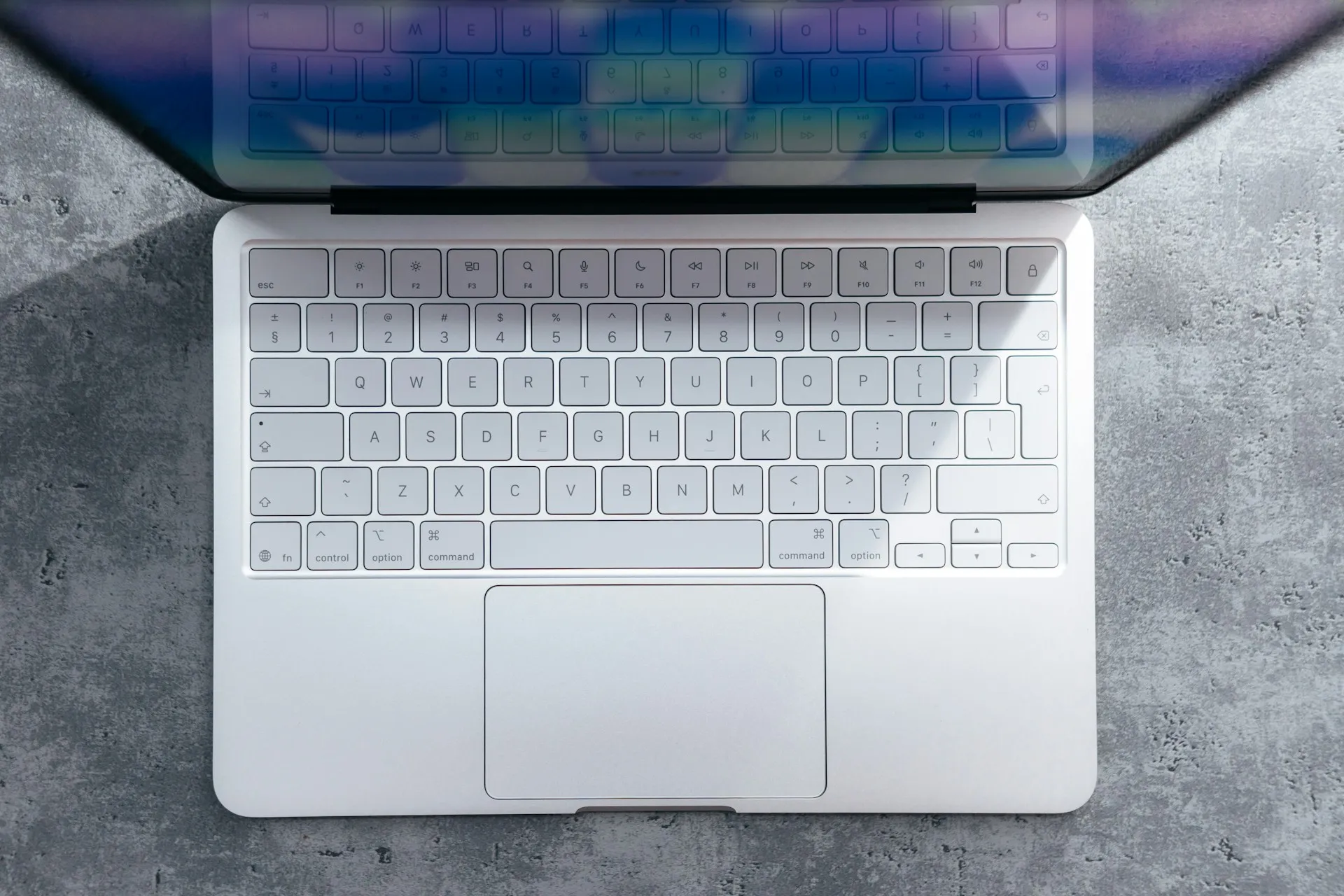
The M1 MacBook Air has always been Apple's entry point into their laptop ecosystem, but one limitation has consistently frustrated users: the soldered storage that can't be upgraded after purchase. However, a recent breakthrough in DIY modification has opened up possibilities that seemed impossible just months ago, challenging our assumptions about what's truly "non-upgradeable" in modern Apple hardware.
This development represents more than just a clever hack—it's a significant milestone in the ongoing right-to-repair movement and raises important questions about the true upgradeability limits of Apple's silicon-based machines. The successful storage modification demonstrates that with the right expertise and tools, even Apple's most locked-down hardware isn't entirely immune to user modifications.
For users weighing whether to invest in higher storage configurations upfront or potentially pursue post-purchase upgrades, understanding both the possibilities and limitations of this modification approach becomes crucial for making informed purchasing decisions.
Breaking down the technical challenge
The M1 MacBook Air's storage architecture presents unique obstacles that make traditional SSD swaps impossible. Unlike older MacBook models with removable drives, Apple's transition to soldered NAND flash memory chips means any storage upgrade requires precision microsoldering techniques that go far beyond typical laptop repair procedures.
The modification process involves carefully removing the existing NAND storage chips from the logic board and replacing them with higher-capacity alternatives. Think of it like performing surgery on something the size of a grain of rice—except that grain of rice contains all your data and costs about as much as a decent used car if you mess it up. This procedure demands specialized equipment including hot air rework stations operating at precisely controlled temperatures, precision microscopes with 10x to 40x magnification, and flux specifically designed for working with modern surface-mount components.
What makes this particularly challenging is Apple's unified memory architecture. The storage controller, NAND chips, and M1 processor communicate through integrated pathways that weren't present in older, more modular designs. Any replacement chips must match exact electrical timing specifications, thermal dissipation characteristics, and firmware compatibility requirements—variables that go far beyond simple storage capacity matching.
The precision requirements are extraordinary. We're talking about component alignment measured in micrometers, soldering temperatures that must remain within 5-degree windows, and work surfaces that need to be completely static-free to prevent chip damage during handling.
Why this matters for right-to-repair advocates
This successful modification represents a significant victory for repairability proponents who have long criticized Apple's move toward increasingly integrated, non-user-serviceable designs. The technical feasibility—despite extreme difficulty—challenges the narrative that soldered integration serves purely performance and design goals.
The modification highlights a critical distinction: what's technically impossible versus what's deliberately made inaccessible. While Apple argues that soldered components enable thinner profiles and optimized performance pathways, the successful upgrades demonstrate that the same integration primarily serves as an economic barrier rather than a technical necessity. It's like buying a car where you can't change the radio because it's welded to the dashboard—and that radio upgrade costs an extra $400 at purchase time.
From a sustainability perspective, successful storage upgrades could significantly extend device lifecycles. Many perfectly functional MacBook Air units reach obsolescence not from processing limitations or hardware failures, but simply from inadequate storage for modern applications and file sizes. This creates unnecessary electronic waste when the core computing capabilities remain entirely adequate for users' needs.
The extreme technical barriers, however, reveal Apple's strategic calculation. By making modifications theoretically possible but practically prohibitive, the company maintains plausible deniability about repairability while ensuring that less than 0.1% of users will ever attempt such procedures. It's a sophisticated approach to discouraging modifications without outright preventing them.
Cost-benefit analysis: when does it make sense?
The economics reveal why storage modifications remain niche despite their technical feasibility. Professional microsoldering services charge $300-600 for storage upgrades, assuming you can locate qualified technicians willing to work on M1 hardware—a significant limitation given the specialized skill requirements and liability concerns.
Apple's storage pricing strategy creates interesting but complex comparisons. The company charges $200 for 256GB to 512GB upgrades and $400 for 512GB to 1TB upgrades at purchase time. Post-purchase modifications involve not just service costs but replacement NAND chips ($100-300 depending on capacity), potential logic board repairs if complications arise, and complete warranty forfeiture.
For newer units under AppleCare coverage, the warranty loss represents $200+ in protection value, making modifications economically questionable until after warranty expiration. The risk calculation changes significantly for 2-3 year old units where replacement costs begin approaching new system prices.
The sweet spot emerges for MacBook Air units that have exceeded warranty periods but retain strong performance capabilities. A $500 total investment to upgrade from 256GB to 1TB makes financial sense when compared to $1,200+ replacement costs, provided users accept the substantial risk of hardware failure during the procedure.
Tools, risks, and what could go wrong
Let me be clear about the equipment requirements: this isn't a weekend DIY project. Professional-grade modifications require temperature-controlled hot air stations ($800-2000), stereo microscopes with proper lighting ($1500-4000), precision tweezers designed for surface-mount work ($200-500), and lead-free flux specifically formulated for modern chip removal ($50-100). We're talking about $3,000+ in specialized equipment before attempting your first modification.
The primary failure mode involves thermal damage during chip removal. NAND storage chips must be heated to exactly 350-380°C for proper solder reflow, but surrounding components—including the M1 processor—can suffer permanent damage at temperatures above 400°C. Maintaining precise thermal control across a 10mm x 8mm work area requires exceptional skill and equipment calibration.
Chip alignment during reinstallation presents equally critical challenges. Modern NAND packages use Ball Grid Array (BGA) connections with 0.8mm spacing between solder balls. Misalignment by even 0.1mm can create open circuits, short circuits, or intermittent connections that manifest as data corruption or boot failures. Professional microscopes become essential for verifying proper placement before final reflow.
Even successful physical installation doesn't guarantee compatibility. Replacement NAND chips must match the original specifications for interface speed, voltage requirements, and thermal characteristics. Mismatched components can create system instability, thermal management problems, or firmware conflicts that prevent proper recognition.
The skill development timeline shouldn't be underestimated. Professional repair technicians typically complete 6-12 months of training specifically for microsoldering techniques, followed by years of experience before attempting complex procedures like storage upgrades. Amateur attempts without proper training result in hardware destruction rates approaching 80-90%.
What this means for Apple's future designs
This modification success provides Apple's engineering teams with detailed intelligence about current vulnerabilities and likely influences future integration strategies. While present modification difficulty prevents mainstream adoption, we can expect even more sophisticated barriers in upcoming silicon generations.
The ongoing hardware security evolution suggests Apple may implement cryptographic pairing between storage controllers and NAND chips, similar to current Touch ID and Face ID component serialization. Such measures would make compatible replacement chips nearly impossible to source, effectively eliminating modification possibilities without preventing them through physical integration alone.
Future MacBook designs might also incorporate additional security layers through the Secure Enclave, requiring cryptographic authentication for storage access that would render third-party NAND chips incompatible regardless of physical installation success. This approach maintains Apple's integration benefits while creating insurmountable software barriers to modification.
For consumers, these developments reinforce the critical importance of accurate storage planning at purchase time. As modification possibilities diminish and Apple's storage pricing remains premium, users increasingly face all-or-nothing decisions about long-term storage requirements. The current modification window may represent the last generation where post-purchase storage upgrades remain even theoretically possible.
Bottom line: while M1 MacBook Air storage modifications are technically achievable, the practical barriers—cost, risk, expertise requirements, and warranty implications—make them viable only for very specific circumstances. Most users benefit more from careful initial storage selection than from hoping for future upgrade possibilities. This isn't just about storage capacity—it's about the fundamental evolution of device ownership in an era of increasing hardware integration and manufacturer control.








Comments
Be the first, drop a comment!