





Android Desktop Mode on Android 16 Explained: Setup Guide
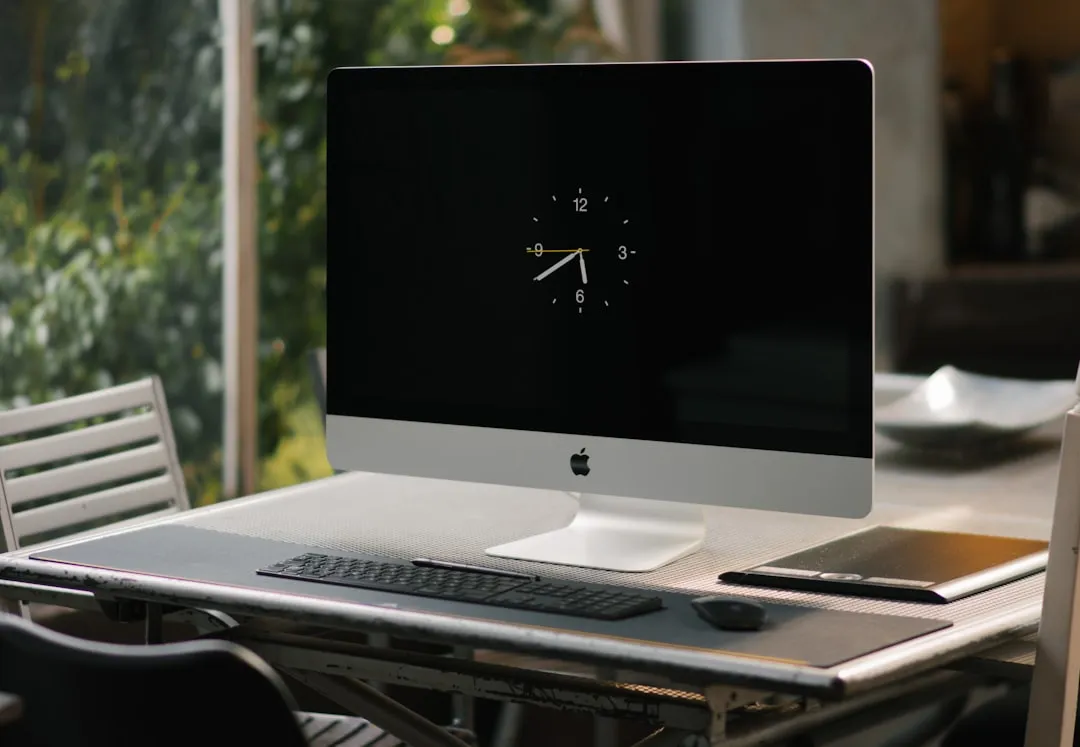
Android desktop mode on Android 16 can give a Pixel 9 Pro a PC-like external-display setup, at least for the parts that matter most: a big screen, a keyboard, and a mouse. Plug a Pixel 9 Pro running GrapheneOS into a dock, connect a monitor, and the cursor moves freely between the phone's own screen and the external display, extending it the way a laptop extends to a second monitor. That setup worked in a firsthand test on GrapheneOS build 2026032001, documented four months ago on Corions Musings.
A bigger claim has attached itself to that story: that a phone like this can also run a demanding Windows game such as The Witcher 3. That claim doesn't hold up under the sources available for this article, and it's worth understanding why before treating a docked phone as a stand-in for a gaming PC.
What Android desktop mode actually is
The concept is simpler than it sounds: it's the same Android instance that runs your phone, rendering a second, resizable-window environment on an external screen. Nothing is dual-booted, nothing is virtualized. Apps run in that single OS instance, but Android's native window manager lets them appear in movable, resizable windows on the larger display, according to Android Authority, which tested this five months ago.
Google's version of this is often described as Pixel Desktop Mode. Samsung's DeX takes a different approach, layering its own desktop interface on top of Android through One UI rather than simply resizing native windows, the same testing found. On newer Samsung phones running One UI 8, apps instead run through Android 16's own Desktop Mode in place of classic DeX, per that same comparison, though the older DeX layer still shows up on earlier Samsung devices.
Android desktop mode on Android 16: what you need
Everything documented here comes from one specific setup: a Pixel 9 Pro running GrapheneOS build 2026032001. The research doesn't cover other Pixel models, other Android skins, or every dock on the market, so treat this as evidence about that one configuration, not a blanket compatibility guarantee.
The hardware requirement is the first thing to check. A phone needs a USB-C 3.x connector with DisplayPort Alt Mode or HDMI-mode support to send a video signal over the same cable used for charging, per Corions Musings. Without that support on the phone, a wired video setup simply will not work, regardless of how good the dock is.
Once that box is checked, the process in the April test was mostly plug-and-forget. Connecting the phone to a docking station and selecting the option to extend the display was enough to get a working secondary desktop; picking mirror instead just duplicates the phone screen on the monitor rather than adding space, the same source reports. Mouse and keyboard input worked without extra setup, and the tester could set where the phone sits relative to the larger display in the settings.
On the peripheral side, the phones in Android Authority's comparison supported power pass-through and plug-and-play Bluetooth and USB keyboards and mice, along with DisplayPort output over USB-C and HDMI through a dongle. Older Samsung phones also offered a dedicated DeX cable and wireless DeX, options the Pixel doesn't have, the same review notes. None of this tells you how a different Pixel model, or a phone from another manufacturer, will behave; it only tells you what worked on the hardware these two outlets actually tested.
The cable and display quirks worth knowing about
The unglamorous part of this setup is the cable. Not every USB-C cable wires in the pins needed to carry a video signal, and some cheap cables, along with a few pricier ones, can simply fail to produce a signal at all, Corions Musings found. In that same test, one specific USB-C to USB-C cable on the Pixel 9 Pro only carried video in one orientation; flip the connector and the picture drops.
A magnetic USB-C adapter, specifically a USB4 40 Gbps model, still allowed video output in that setup and became the tester's preferred option for situations involving frequent connecting and disconnecting. That's a single data point from one accessory in one configuration, not a general recommendation.
Resolution has its own wrinkle. In the same test, an 11-inch 4K display received a 1920x1080 signal from the phone, but Android rendered its interface as if the screen were only 1280x800, leaving text and on-screen controls noticeably oversized, according to Corions Musings. The signal itself is full resolution; the scaling Android applies on top of it is what makes everything look large.
Everyday use: where the desktop experience holds up
The Android Authority comparison found similar app functionality on its test devices, running today's Android apps about as well in desktop mode as in phone mode. Browsing was the clearest place where the two diverged: on a Samsung Galaxy S25 Ultra, DeX scaled Chrome so aggressively that navigating some pages became clumsy, and the reviewer ended up recommending Samsung Internet instead, which handled the desktop layout without issue.
Google has put effort into making Chrome behave more like a desktop browser in Pixel Desktop Mode, though it still lacks browser extensions, the same review notes. Samsung DeX offers a similar phone-to-display experience overall, though the implementation differs: newer Samsung devices using Android 16's Desktop Mode land closer to Google's approach, while older models retain DeX-specific touches like a dedicated wallpaper option that Google's version doesn't have. None of this amounts to a full laptop replacement, but based on the devices tested, it could suit lightweight tasks like browsing and basic document work with a keyboard and mouse attached.
Can a docked Android phone run The Witcher 3?
Getting a picture onto an external monitor answers a different question than whether a phone's chip can execute x86 Windows software. Those are unrelated problems, and the desktop-mode evidence above says nothing about the second one.
Running a Windows game on Android typically goes through a project called Winlator, and the piece relevant to this claim is a Vulkan driver called Vortek. Vortek is a Winlator-specific driver that lets DirectX games, already converted to Vulkan by a separate translation tool called DXVK, send their graphics commands through to Android's own system GPU drivers, according to Winlator Internals, published last year. It does this by running the game inside a Linux-like runtime called glibc, while relaying Vulkan commands through inter-process communication to a renderer that runs inside Android's own native environment, known as Bionic, the same source explains.
What Vortek patches is specific: missing features that DirectX games expect but many Android GPU drivers don't provide, including certain compressed texture formats, display-related extensions, and workarounds for gaps in Arm's Mali graphics drivers, the exact problem that motivated the project, per Winlator Internals. That's the job Vortek is documented to do: making the graphics layer work between a translated game and Android's hardware drivers.
A full Windows-on-Android setup also needs to translate Windows system calls into something Android can execute, and translate x86 CPU instructions into the ARM instructions a phone's chip actually runs. Those are separate problems from the graphics layer, and nothing in the supplied research documents how they're handled or confirms which components manage them in any specific configuration. What the source does establish is narrower: Vortek handles part of the graphics path. It says nothing about whether that path, combined with whatever handles the other translation jobs, has ever been assembled and run against a title like The Witcher 3.
None of the sources reviewed for this article, not the desktop-mode test and not the Vortek technical writeup, document a build number, a frame rate, a resolution, or footage showing The Witcher 3 running on a Pixel 9 Pro or any GrapheneOS setup. Given what Vortek is designed to do, the claim isn't absurd on its face. It's just unverified, and unverified is not the same as debunked.
What would actually confirm the claim
A credible claim that a specific phone runs a specific game needs a few concrete things: the exact Winlator and Vortek build numbers used, the DXVK and Wine configuration, the resolution and graphics settings selected, and a measured, sustained frame rate rather than a single screenshot from a loading screen.
It also needs stability evidence. Does the game run for a few minutes or survive a full session, and what happens to thermals and battery life once sustained 3D rendering replaces the comparatively light load of a docked desktop interface? Those are different stress profiles, and a phone that handles one won't necessarily handle the other.
Nothing reviewed for this piece supplies any of that for The Witcher 3. Until someone publishes build numbers and a frame-rate log rather than a claim, that half of the story stays unconfirmed.
Where this goes from here
The April test shows Android 16's desktop mode working as described: a Pixel extending to an external display, taking keyboard and mouse input, and handling lightweight tasks reasonably well on that build. Google reportedly plans to expand on that idea with a broader project called Aluminium OS before the end of the year, according to Android Authority, though no firm launch date has been confirmed.
The gaming claim is a separate question that deserves separate scrutiny, and right now it doesn't have a benchmark or a build number behind it. Treat it the way you'd treat any bold performance claim without evidence attached: worth watching, not yet worth believing.


Comments
Be the first, drop a comment!